Featured

Task 1: Learning Technology Critique

Creativity Brushes Painting – pixabay.com

The continued advancements and innovations in technologies that have occurred in recent years have sparked many discussions on whether the increased variety of technologies has allowed for creativity to be fostered and encouraged within the classroom. Creativity has been defined as allowing students to deepen use skills and behaviours such as imagination and innovation in all learning areas (ACARA, n.d.). It has been examined that apps allow children to develop crucial cognitive development that comes from playing games that stimulate drawing and photo-taking (Marsh, et al., 2018).
Apple Pencil – Wikipedia

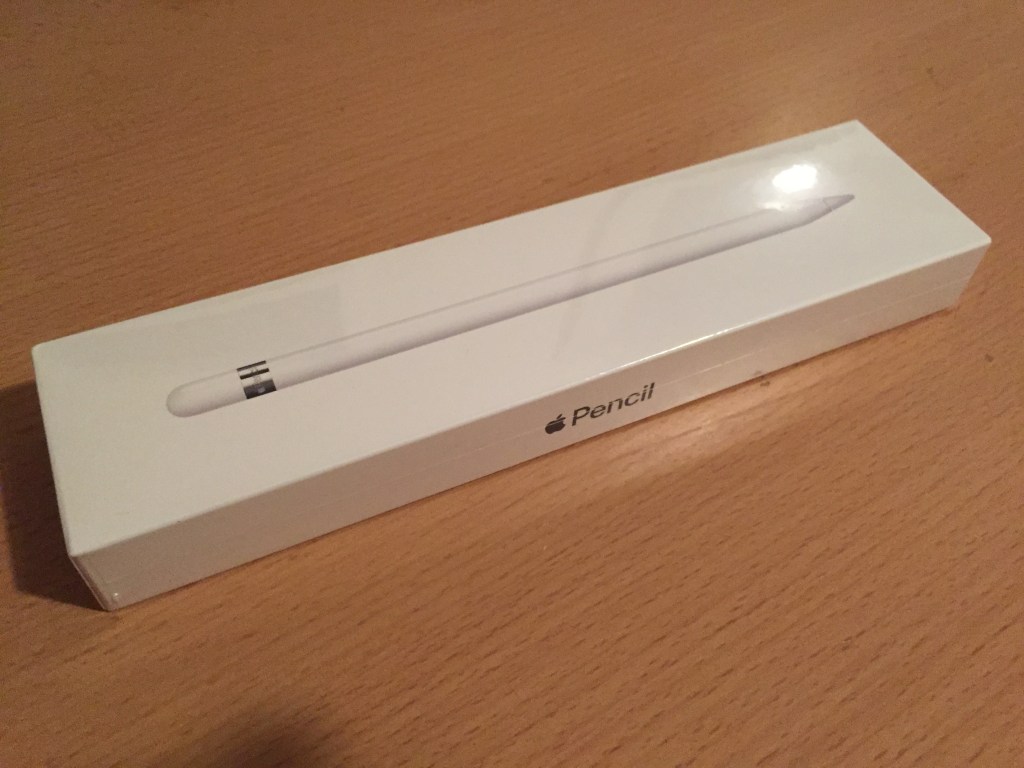
One technology that has emerged is the Apple Pencil. The Apple Pencil is a wireless pencil that connects to the iPad and allows the user to draw on an iPad and imitate the touch of a pencil, stimulating pressure differences as well as pencil angles (Apple, 2020). There are a variety of ways that the Apple Pencil can promote creativity in the classroom (Murphy & Williams, 2011). The Apple Pencil could be used in a behaviourist approach to visual arts when students follow a set of directions to draw an image using the Apple Pencil. A connectivism approach could use the Apple Pencil to get students to draw what they perceive what an object means to them and then get them to compare with other students to get them to broaden their perspectives. Visual representation can also be used to foster creativity using the Apple Pencil. Most subjects can utilise visual representation through getting students to create a visual book or poem, draw an experiment, annotate the images or even draw up mathematical problems (Eilam & Gilber, 2011) .

By using the Apple Pencil students can select one of the many art forms or mix them throughout the image, the student has access to any colour as well as any size tool. It allows students to have fewer limitations in accessing the resources that are needed to make a physical artwork on paper or canvas (F. Escamilla, et al., 2018). Students have been found to have increased productivity and complete projects in a quicker time frame (F. Escamilla, et al., 2018; Hutchinson & Beth, 2015 ; Eilam & Gilber, 2011). The Apple Pencil does allow students to foster creativity through images as innovation, however the technology can be limited in use. When using the Apple Pencil, it can become out of alignment with the device this can become an issue when drawing or editing. The Apple Pencil can also limit creativity through the application on which it’s used on, it has been found that even though some applications claim to foster creativity they are then limited by students who may get confused on how to use the application or have to many instruction that don’t allow students to use their own ideas. (Marsh, et al., 2018).

References

ACARA. (n.d.). Critical and Creative Thinking. Retrieved from Australiancurriculum.edu.au: https://www.australiancurriculum.edu.au/f-10-curriculum/general-capabilities/critical-and-creative-thinking/
Apple. (2020). Apple Pencil. Retrieved from Apple: https://www.apple.com/au/apple-pencil/
Eilam, B., & Gilber, J. K. (2011). The Significance of Visual Representation in the Teaching of Science. In B. Eilam, & J. K. Gilber, Science Teacher’ Use of Visual Representation (pp. 3-28). Switzerland: Springer.
F. Escamilla, E., Ostadalimakhmalbaf, M., Pariafsai, F., Ranka, N., Danesh, M., & Alizadeh, M. N. (2018). Impact of Using iPad Tablets in a Construction Communication Graphics Class: Evaluation Based on System Usability Scale. Journal of Educational Technology, 1-32-49.
Hutchinson, A., & Beth, B. (2015). Using the iPad as a tool to support literacy Instruction. Technology, Pedagogy and Education, 407-422.
Marsh, J., Plowman, L., Yamada-Rice, D., Bishop, J., Lahmar, J., & Scott, F. (2018). Play and creativity in young children’s use of apps. British Journal of Educational Technology, 49(5), 870-882.

Constructionism and the Maker movement

With the continued integration of digital technologies in the classroom, it is essential to ensure there is enough space for students to utilise their tools to optimise learning (Tomko, Nagel, Aleman, Newstetter, & Linsey, 2017). Many teachers have implemented a “makerspace” within the classroom (Paganelli, et al., 2017). Makerspaces are a physical space in the classroom that is a designated area for art, engineering and science. Space is made up of digital and physical technologies; this allows students to explore and support projects that are at a personal interest (Rivas, 2014).
Makerspace allows for teachers to integrate a Constructionism approach to their teaching practices. The makerspace allows this approach as it sees the students use the real-life experience to remember content instead of just being told about it; they can experience it themselves (McKay, Banks, & Wallace, 2016). These makerspaces can encourage and engage students in the content (Paganelli, et al., 2017). For example, when teaching a science lesson, the students can use this space to investigate different materials properties or using computer game-based activity that shows the properties of different materials.
In makerspace, teachers can incorporate a range of technologies and equipment. Teachers can include microcontroller; the microcontroller is a small part that is dedicated to one task; this is often an embedded system (Brain, 2000). The microcontroller generally has an input and output function which allows programs to be loaded on to the microcontroller (Brain, 2000). The microcontrollers are often low cost and have low power that has no to minimal display features (Brain, 2000). Teachers can also use the development board. A development board is a piece of hardware that features a microcontroller that is built onto a single circuit board. (Ibrahim, 2014) Once the microcontroller programs the development board, they can perform specific tasks depending on the board specifications (Ibrahim, 2014). In order to program the development boards, some software’s have been designed for education which has a visual programming interface (Ibrahim, 2014).
3D design and printing can also be utilised in the makerspace (McKay, Banks, & Wallace, 2016). 3D printing and design allow students to relate the design process to multiple subject areas, including direct references to in technology courses and science (Greenhagh, 2016).
Makerspaces can have some limitations. Depending on which school and location, the funds and resources may be limited due to budgets (Tomko, Nagel, Aleman, Newstetter, & Linsey, 2017). Another limitation in many school classrooms there is not enough space to have an efficient area for students (West, 2016). Teachers have to ensure they set a task that utilises the equipment and is relevant to the learning outcomes set out in the curriculum (Tomko, Nagel, Aleman, Newstetter, & Linsey, 2017).
Makerspace is a great way to have a pre-setup area for digital and physical technologies. It allows students to design and interact with technologies which can enhance motivation and engagement in school work.

Image of Circuit Scribe logo is from their Website https://circuitscribe.com/

Review of Circuit Script
https://circuitscribe.com/

The circuit script is recommended for ages 8 years and over. It ranges from simple circuits to more complex circuits for example working with an a drone. The Circuit scribe is tailored for the science and engineering curriculum. teachers have the option to give the students the Circuit scribe Investigator’s notebook which allows students to progress through and complete lessons that explore circuits. Teachers can also get students to create their own circuits with spinning motors or even create a Drone out of cardboard. Students are able to foster creativity as the content is engaging and they are able to create circuits by using a specialise ink pen. The strengths of the Circuit Scribe is that it is a safe method for students to learn about circuits as well as being unique and fun for the students. However the circuits scribe is a very tailored product that only looks at circuits so it can be limiting in the areas that it is applied in.Circuit scribe also can be costly as it only has a shelf life of 6 months so teachers will need to restock and use the pens to ensure they are not wasted.
Overall the circuit scribe is a fun and innovative way for teachers can teach students about circuits and the qualities that they have.

References

Brain, M. (2000, April 01). How Microcontrollers Work. Retrieved from howstuffworks: https://electronics.howstuffworks.com/microcontroller1.htm
Greenhagh, S. (2016). The effects of 3D printing in design thinking and design education. Journal of Engineering, DEsign and Technology, 14(4), 752-769.
Ibrahim, D. (2014). PIC Microcontroller Projects in C. In D. Ibrahim, Chapter 6 – Intermediate PIC18 Projects (pp. 173-325). Elsevier’s Science & Technology. Retrieved from https://core-electronics.com.au/development-boards.html
McKay, C., Banks, T., & Wallace, S. (2016). Makerspace Classrooms: Where Technology Intersects With Problem, Project, and Place-Based Design in Classroom Curriculum. International Journal of Designs for Learning , 11-16.
Paganelli, A., Cribbs, J. D., Huang, X., Pereira, N., Huss, J., Chandler, W., & Paganelli, A. (2017). The makerspace experience and teacher professional development. Professional Development in Education, 232-235.
Rivas, L. (2014). Creating a Classroom Makerspace. Educational Horizons, 25-26.
Tomko, M., Nagel, R. L., Aleman, M. W., Newstetter, W. C., & Linsey, J. S. (2017). Toward Understanding the Design Self-Efficacy Impact of Makerspaces and Access Limitations. American Society for Engineering Education, 1-14.
West, S. (2016). overcrowding in K-12 STEM classrooms and labs. Technology and Engineering Teacher, 28-29.

Digital Games and Learning

Digital game-based learning is often dismissed as not real learning. However, there have been proven studies that have shown that game-based knowledge has a positive effect on students. Game-based understanding allows students to learn how to face challenges, teaches problem-solving, the students are engaged, and they can get how to work effectively as a team.
There are three main ways that teachers can use game-based learning in the classroom. These include pre-packaged ‘commercial-off the shelf’ games; teachers create digital ‘gamification learning’ and have students design their own digital games.  Pre-package games can be beneficial as they have been pre-designed for a specific topic. Pre-designed games can be engaging in and a fun way for students to learn content (All, Patricia Nuñez Castellar, & Van Looy, 2016). However, they have a limitation as they are pre-designed; they are unable to be modified to the level of the class and could limit learning and creativity. Teachers can use software’s such as “Scratch” to design games that are tailored to the learning outcome that students need to learn (Elmenreich, 2018). The third way that is that teachers can get students to design a game that relates to the content that they are teaching.
There has been significant research into the benefits of setting digital game-based learning activities. Games have been shown to improve focus and reaction time (Hung, Huang, & Hwang, 2014). Playing computer games has some benefits to teachers as well, these include being motivating, fun and engaging for teacher to set activities (Hung, Huang, & Hwang, 2014). It allows teacher to disguise the development of general 21st century soft skill as well as catering for diversity (Hung, Huang, & Hwang, 2014). By teachers getting students to design computer games, they can encourage and foster creativity by allowing students to design and explore the process of project management. By utilising the design process, students can experience failure and learn that it is OK to fail as long as they learn and adapt to the process to try and avoid the same thing happening again (Kapur, 2014).
There is a limitation to implementing game-based learning in the classroom. A limitation can be the availability of time and resources that it takes to use the games (Lesgold, 2009). With gaming, the novelty of the activity can wear off, and students can become distracted, and the teacher may lose control of the classroom (All, Patricia Nuñez Castellar, & Van Looy, 2016). Students can also get distracted by the game and not learn anything from the lesson this is also linked with teachers need to ensure the game is linked with the learning content, so it is beneficial to the learning outcome that is required (Becker, 2007).
Game-Based learning can be an asset to earning as it allows for an increase in motivation and engagement to the content. Creativity is also fostered when students are allowed to design a game as it allows them to have different media to represent the content learnt.

This is an Example of a chase game designed in the tutorial . The game represent an english knight trying to avoid the Black Plague which reached England in June 1348. To play the game use the Arrow keys to move the knight around to avoid the plague.
To play the game go to: https://scratch.mit.edu/projects/398695720

References

All, A., Patricia Nuñez Castellar, E., & Van Looy, J. (2016). Assessing the effectiveness of digital game-based learning:. Computers & Education, 90-103.
Becker, K. (2007). Digital game-based learning once removed: teaching teachers. British Journal of Educational Technology, 478-488.
Elmenreich, W. (2018, April 27). How I designed a game with Scratch. Retrieved from opensource.com: https://opensource.com/article/18/4/designing-game-scratch-open-jam
Hung, C.-M., Huang, I., & Hwang, G.-J. (2014). Effects of digital game-based learning on students’ self-efficacy, motivation, anxiety, and achievements in learning mathematics. Journal of Computers in Education, 151-166.
Kapur, M. (2014). Learning from productive failure. Learning: Research and Practice, 51-65.
Lesgold, A. M. (2009). Computer resources for learning. Peabody Journal of Education, 60-74.

Virtual Reality

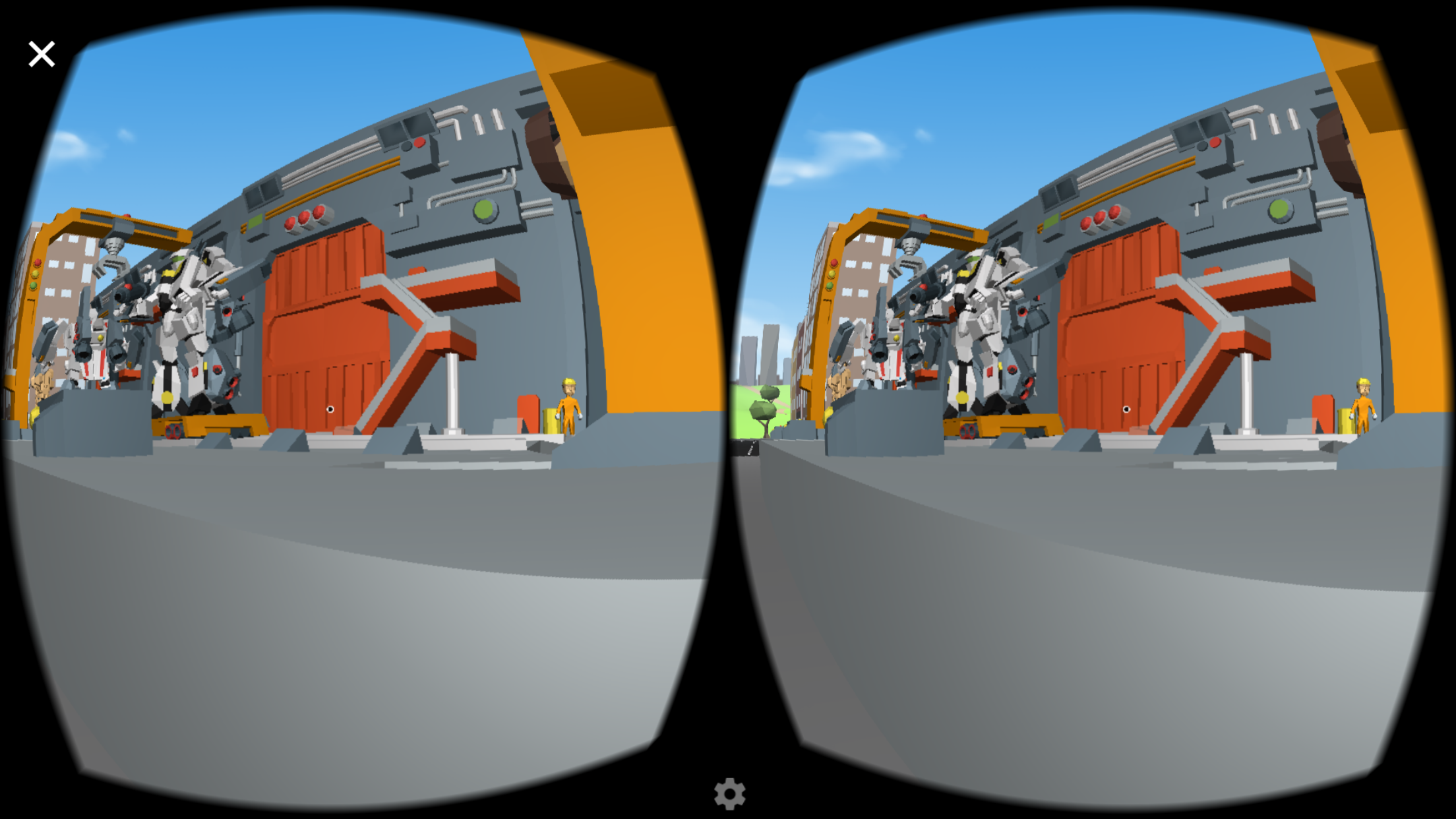
With the increase in technology has allowed students to transform the classroom into a real-world simulation or a fictional simulation, this has been made possible through Virtual Reality (VR) (Checa & Bustillo, 2019). 

VR has allowed students to express their creativity through two different methods (Alfadil, 2017). Students can create Virtual worlds using platforms like CoSpace. These platforms allow students to express creativity by allowing them to design virtual storybooks, plays, geographic location, or recreate historical events (Checa & Bustillo, 2019; LitsLink, 2019). This method allows the student to design the space and process the information in a fun and engaging way (Checa & Bustillo, 2019). The other method is getting students to explore pre-made content that can be geographic locations that students can walk around and explore, or it can be a display of famous artworks etc (Brown & Green, 2016). This method can spark creativity as students can engage with their topic (Johnson, 2001). For example, students that are learning about William Shakespeare have the opportunity to explore the globe theatre and what it would be like without having to travel to London to experience, which can be costly and impractical (Brown & Green, 2016; LitsLink, 2019). Students’ creativity is encouraged as they can visualise and experience something in the classroom. Teachers can get them to write what they experience or what happened or what could happen next. Teachers can get students to write a play that would be performed in the globe theatre, and visual arts teachers can use it as inspiration for what they wish the students to create.

VR also comes with some negatives. VR devices can be quite costly; they vary from cardboard cut-out that requires a mobile device to a mobile headset that can cost over $1000 for some schools a mobile headset is not feasible as they do not have the funds or they can only purchase a few (Neelakantan, 2019). Therefore, it takes longer for all students to use the headset. The VR headset can also take a while to get used to and set up, which can cause students to get distracted (Neelakantan, 2019; LitsLink, 2019). It is also critical that teachers have a set learning outcome they want to achieve so students understand why they are using VR (Alfadil, 2017).

There are many options in which teachers can use VR in the classroom to encourage creativity within the students.

References

Alfadil, M. M. (2017). Virtual Reality Game Classroom Implementation: Teacher Perspectives and Student Learning Outcomes. ProQuest Dissertations Publishing, 23-27.
Brown, A., & Green, T. (2016, June 30). Virtual Reality: Low-Cost Tools and Resources for the Classroom. Tech Trends, 60, 517-519.
Checa, D., & Bustillo, A. (2019, December 5). A review of immersive virtual reality serious games to enhance learning and training. Multimedia Tools and Applications, 79, 5501-5527.
Johnson, A. (2001). VR as Instructional Technology – The CAVE as Classroom. Works and Days, 67-76.
LitsLink. (2019, October 03). Usage of Virtual Reality in Education: Pros and Cons. Retrieved from Litslink: https://litslink.com/blog/usage-of-virtual-reality-in-education-pros-and-cons
Neelakantan, S. (2019, December 02). Schools Face Barriers to VR Adoption in the Classroom. Retrieved from edtechmagazine: https://edtechmagazine.com/k12/article/2019/12/schools-face-barriers-vr-adoption-classroom

Augmented Reality

Augmented Reality (AR) systems allow virtual objects to be placed within the physical world setting. Using Applications on Mobile devices, students can visualise and interact with virtual objects within the real world and real-time setting (Fabio, et al., 2015). The basis of AR can use Image Based Marker to project an image, location Based, or Games and Assessment to display content (Persefoni & Avgoustos, 2015).

AR has the ability for students not only to interact with pre-existing content but also to have the ability to design and create their content (Fabio, et al., 2015). Students a Foster creativity into designing AR as they can see a real-world object and have the ability to create a unique, innovative solution to a problem (Mitchell & DeBay, 2012). When creating AR content, it can foster creativity by allowing students to engage with a different platform that allows them to design 3D objects and sequences that pop up when a specific image or location is met (Persefoni & Avgoustos, 2015). AR can be used in a variety of subjects whether it be getting students to design an activity in which when specific images are shown information and detail of the object, event or time will display giving the students a creative method of learning content (Persefoni & Avgoustos, 2015; Mitchell & DeBay, 2012). Students also can design a popup book and create images. AR has also allowed students to view pre-designed information that can help engage learning. An example can be using mobile devices so students can look up at the sky and see the constellations and receive information on them, or they can see dinosaurs walking past them (wowsome, n.d.). Teachers can use AR by engaging students with the content they are learning as well as getting them to create a story on why the dinosaurs are there or create a story in what they think they would look like due to adaptations etc (wowsome, n.d.).

When using AR in the classroom, the teacher must be aware of the school phone use policy (Murat & Gökçe, 2017). Some private schools may be able to afford mobile devices in the classroom that are compliant with the AR software (Murat & Gökçe, 2017). However, in lower Socio-economic schools this may not be possible, teachers also have to be aware of whether the students have a device that is compatible with AR technology as some may not have the resources available (Devasia, n.d.). AR also might not foster creativity as students may get distracted and move away from the learning outcome, and therefore the activity just becomes a time-waster.

AR allows students to bring the animated world into the real world, which brings another dimension into what the students can achieve (Fabio, et al., 2015). It is crucial to integrate AR into the classroom to engage and encourage creativity within the classroom.

An example of AR using Zapworks to design the AR and Zappar to display the image

Using the Zappar App scan the code to look at an Example of AR

References

Devasia, A. (n.d.). Augmented Reality in the Field of Education. Retrieved from WOWSOME: https://www.wowso.me/blog/ar-in-education
Fabio, Z., Ryffel, M., Magnenat, S., Marra, A., Nitti, M., Kapadia, M., . . . Sumner, R. (2015, November 2). Augmented creativity: bridging the real and virtual worlds to enhance creative play. SIGGRAPH Asia 2015 Mobile Graphics and Interactive Applications, 1-7.
Mitchell, R., & DeBay, D. (2012, September). Get Real. Learning & Leading with Technology, 40(2), 16-21.
Murat, A., & Gökçe, A. (2017, February). Advantages and challenges associated with augmented reality for education: A systematic review of the literature. Educational Research Review, 20, 1-11.
Persefoni, K., & Avgoustos, T. (2015). Use of Augmented Reality in terms of creativity in School learning. Greece: Eastern Macedonia and Thrace Institute of Technology.
wowsome. (n.d.). 7 Ways Educators can Enhance the Classroom Experience with Augmented Reality. Retrieved from WOWSOME: https://www.wowso.me/blog/7-ways-educators-can-enhance-the-classroom-experience-with-augmented-reality

Robotics

Designed Using Canva

The definition of what classifies as a robot varies depending on individuals’ perceptions and ideas, however, the basic points of what makes a robot is that it is a mechanical machine that is programmable to independently complete tasks around the physical boundary that are designed (Edwards, Edwards, R. Spence, Harris, & Gambino, 2016).

Robotics has allowed students to adapt a cross-curriculum way of thinking, using science and mathematical skills students can utilize robotics in two main ways, they can focus on the design process when producing a robot or they can focus on the digital side of using computational thinking skills to program a robot to complete certain tasks (Curto & Moreno, 2013; Edwards, Edwards, R. Spence, Harris, & Gambino, 2016).
Using Robotics in the classroom students can foster creativity through being able to physically design a robot that can complete a given task or they can create code that allows the robot to complete pre-design tasks (Alimisis, 2013). Robotics can be used in the classroom to tell a story, solve a puzzle, understand perimeters, and formulate experiments using the robotics (Edwards, Edwards, R. Spence, Harris, & Gambino, 2016).

 A constructivist approach to teaching is fostered when using robotics within the classroom (Curto & Moreno, 2013). Robotics allows students to design and construct robots as well as the use of trial and error in which students are encouraged to learn from mistakes and broaden their understanding of the concepts.

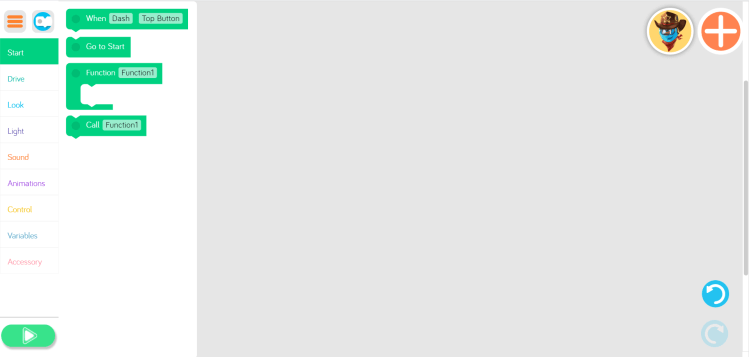
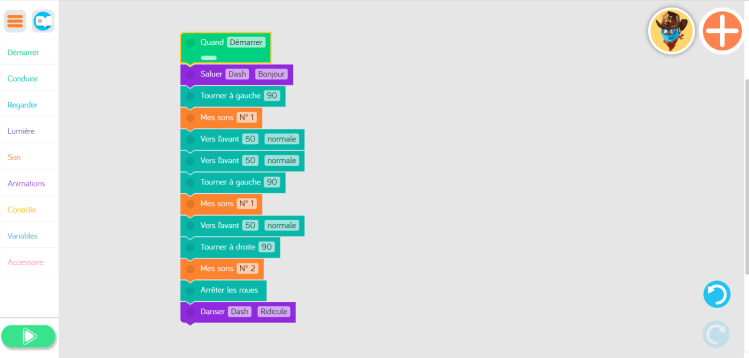
One example of a robotic in the classroom is Dash and Dot. Dash is a robot that can Move Light up and make noises and Dot is unable to move (Make Wonder, 2019; ECN, 2019). Both dash and dot can react to their surroundings. Dash and Dot use five different apps Wonder, Blockly, Xylo, Path, and Go (Make Wonder, 2019). These apps allow students to interact with Dash and Dot. Dash and Dot can foster creativity by allowing students to design algorithms and control the robots (Refer to Slideshow on an example of using Dash and Dot in the Classroom)

As with all contemporary technology, there are limitations to the creativity that it can foster.  Students can become distracted by the robot and playing with it does not apply to what they are doing with learning and therefore it can become time-wasting (Edwards, Edwards, R. Spence, Harris, & Gambino, 2016).  Robotics can vary in price and the more advanced the programming the more expensive and therefore students can become limited to the availability of using a robot as well as the ability of robots. Robotics can also be difficult to understand and therefore can deter students from engaging with the content and thus not allowing creativity to occur (Alimisis, 2013).

With robotics becoming accessible outside industrial uses it is critical that students learn how to program and build robotics.

References

Alimisis, D. (2013). Educational robotics: Open questions and new challenges. Themes in Science & Technology Education, 63-71.
Curto, B., & Moreno, V. (2013). A robot in the classroom. Proceedings of the First International Conference on Technological Ecosystem for Enhancing Multiculturality, 295-296.
ECN. (2019). Educational Products Bring Robotics into the. ProQuest, 1-4.
Edwards, A., Edwards, C., R. Spence, P., Harris, C., & Gambino, A. (2016). Robots in the classroom: Differences in students’ perceptions of credibility and learning between “teacher as robot” and “robot as teacher”. Computers in Human Behavior, 627-634.
Make Wonder. (2019). Wonder Workshop | Home of Dash, Cue, and Dot – award-winning robots that help kids learn to code. Retrieved from Wonder Workshop – US: https://www.makewonder.com/

Computational Thinking

Computational thinking has become a critical element that should be implemented in the classroom. This is due to the ever-increasing nature of computing programs in industries (Özçınar, 2018). Computational thinking allows students to understand the process of analysing a problem then solving it so that a human, machine or computer can implement the solution (NESA, 2017)

Computational Thinking tools can foster creativity in a variety of subjects, Teachers can get students to design science experiments, create  artwork, visual storybook or games that represent artwork, mathematical problems, historic events etc., as well as getting students to design websites that display information related to the subject or even to market a product (Haseski, Ilic, & Tuğtekin, 2018; Margarida, Lepage, & Lille, 2017). By having computational thinking tools in the classroom students become more engaged and motivated as they increase the range of teaching material and become more engaged and motivated as they are allowed to explore a different way in representing their ideas as well as learning skills that will assist them in real-life situations (Haseski, Ilic, & Tuğtekin, 2018; Ioannidou, Bennett, Repenning, Koh, & Basawapatna, 2011).

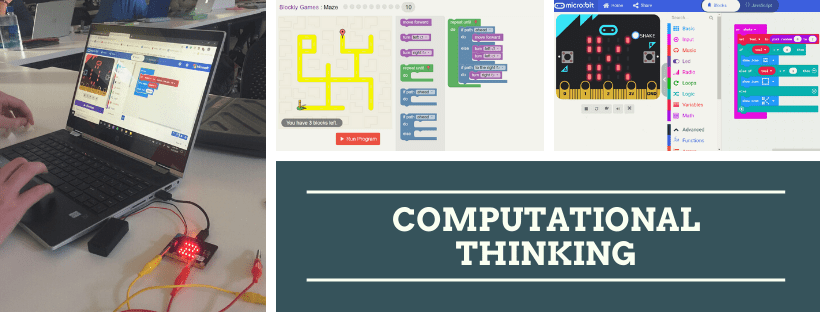
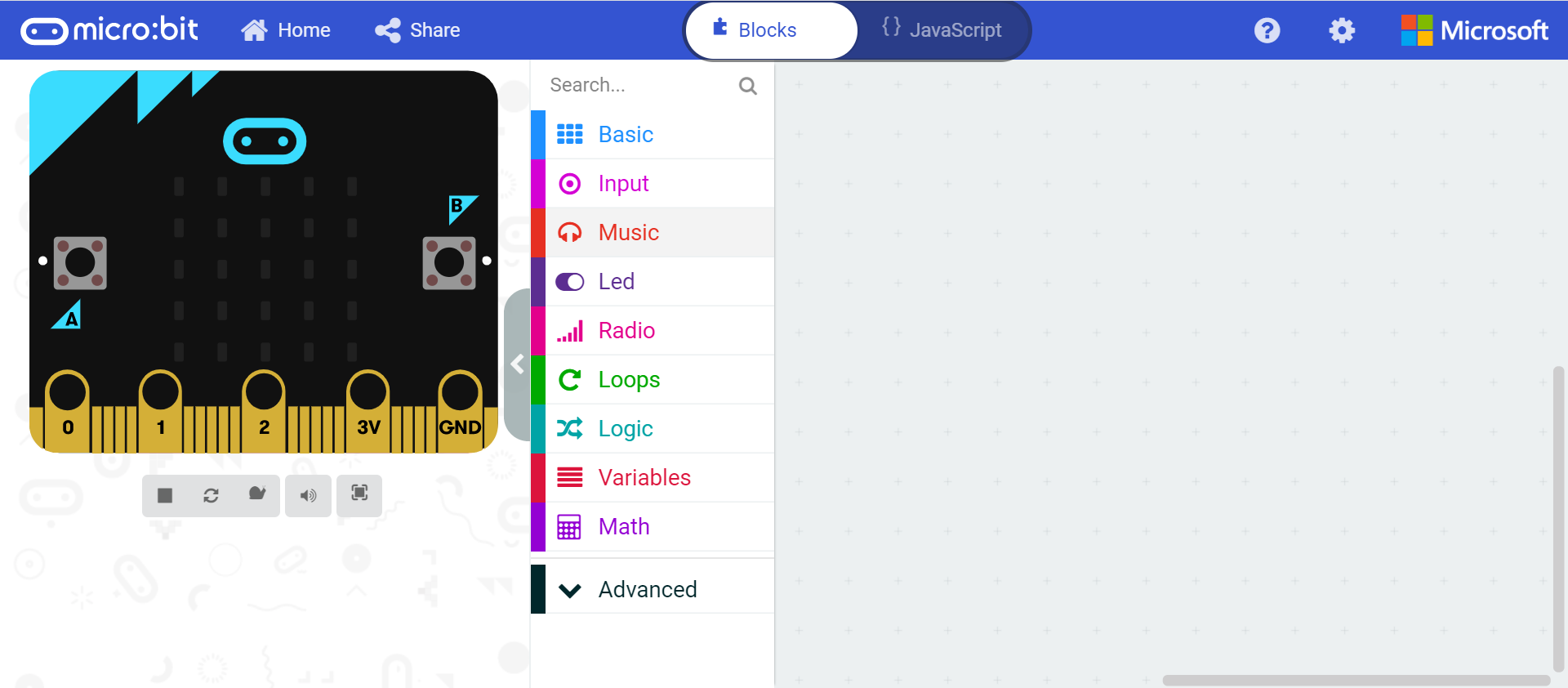
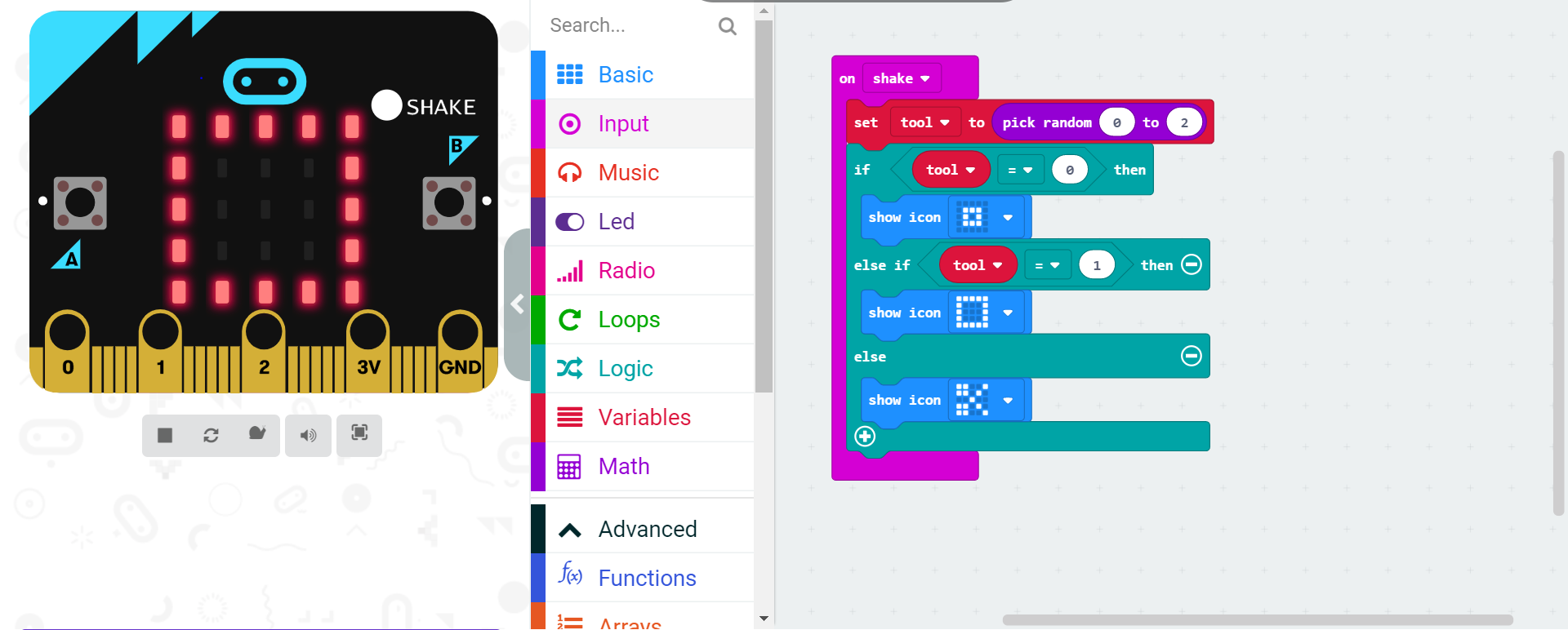
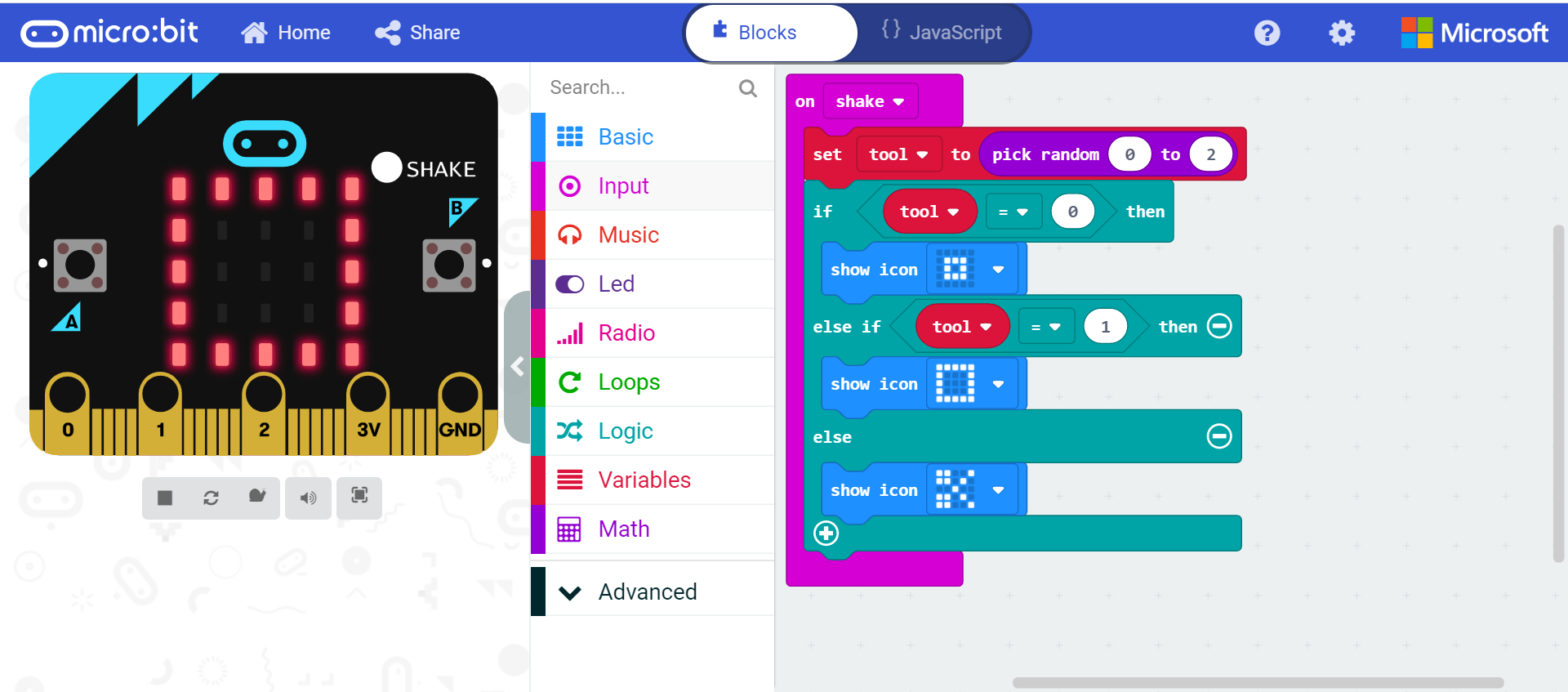
An example of a program that uses computational thinking and allows students to foster creativity is the MicroBit. The Micro:bit provides a physical device that you can program to use to roll a dice, record the temperature etc. It uses a middle-level programming skill, which uses the idea of block code that students can drag and drop into creating code that will allow the desired outcome to be achieved.

Teachers have to ensure that they teach Computational thinking in a manner that allows students to transfer the skills of problem-solving methods to different areas of study (Özçınar, 2018; Bennett, Koh, & Repenning, 2013). Teachers also have to ensure that they implement the structure of the lesson process that relates to an authentic problem to ensure they are engaged and understand the reasoning on using the computational thinking tools (Lye & Koh, 2014; Margarida, Lepage, & Lille, 2017). In order for students to be able to effectively foster creativity in coding, they have to first have an understanding of how coding works and how to use it. This can be timely and teachers may not allow students to have their own design thus disengaging the students which deter creativity from happening.

Overall, the computational thinking tools are a great learning tool as they motivate and engage students into learning code which can be disinteresting (Özçınar, 2018 & Margarida, Lepage, & Lille, 2017).

References

Bennett, V., Koh, K. H., & Repenning, A. (2013). Computing Creativity: Divergence in Compuatational Thinking. Proceeding of the 44th ACM technical symposium on Computer science education, 359-364.
Haseski, H. İ., Ilic, U., & Tuğtekin, U. (2018). Computational thinking in educational digital games: An assessment tool proposal. Teaching computational thinking in primary education, 256-287.
Ioannidou, A., Bennett, V., Repenning, A., Koh, K. H., & Basawapatna, A. (2011). Computational Thinking Patterns. 2011 Annual Meeting of the American Educational Research Association, 1-15.
Lye, S. Y., & Koh, J. H. (2014). Review on teaching and learning of computational thinking through programming: What is next for K-12? Computers in Human Behavior 2014, 51-61.
Margarida, R., Lepage, A., & Lille, B. .. (2017). Computational thinking development through creative programming in higher education. International Journal of Educational Technology in Higher Education, 42-57.
NESA. (2017). Retrieved from http://educationstandards.nsw.edu.au/wps/portal/nesa/k-10/learning-areas/technologies/science-and-technology-k-6-new-syllabus
Özçınar, H. (2018). A Brief Discussion on Incentives and Barriers to Computational Thinking Education. In Teaching Computational Thinking in Primary Education (pp. 1-17). Turkey: IGI Global.

Design Based Thinking

CC BY 3D Printer Research

Design can relate to two different aspects, the planning and outlining solutions or to the final composition that is produced. Design-Based Thinking looks at the process where a problem is identified, then creative critical thinking allows the individual to change the problem into one that is preferred. By utilising Design-Based thinking in a classroom the student examines different stages of the design process from identifying an issue to creating a product that could resolve the issue (Greenhagh, 2016). The 3D printer has allowed students to experience the design process from concept to completion and once they have completed their design, they can produce a physical object that they can hold in their hands (Peterson, 2015).

CC BY MQ 3D Printing Equipment – https://libguides.mq.edu.au/VRoom/3DPrinting

3D printing has allowed students to test designs and then they also can modify the design by just changing the design in the program instead of having to build the design from scratch again which can lead to variation in design that could affect the results (Peterson, 2015).

CC BY Georgina Batten

3D printing as a technology that can foster creativity in design-based thinking using programs that allow students to design objects. Programs can utilize geometric shapes to designs 3D models like TinkerCAD and SketchUp or programs that allow for organic shapes to design 3D models to create these programs include sculptris and meshmixer (Mehrotra, 2019).

A Connectivist Approach to implementing 3D printing to foster creativity through Design-Based thinking is for Students to design a 3D object in groups and allow the students to use the diverse knowledge of their other peers to ensure a unique object is created.

A Constructionist learning approach will use the process of designing an object and testing it, then modifying it through creating the real object to foster creativity. 

Nevertheless, 3D printing does have limitations in the classroom; these can include the constraints of the printer itself,  some schools will not have access to materials that the students’ needs for their product too successfully work as well as having limitations in the colours that students can use. 3D printing also can be challenging for students, by using a program that design 3D objects it can be challenging and be difficult for students or even teachers to learn how to effectively use the program and therefore it can be time-consuming and limits the student’s ability to foster creativity in the project (Mehrotra, 2019; Hod, 2012).

Overall 3D printing has allowed for students to foster creativity as it bridges the gap between ideas and the physical world (Greenhagh, 2016).

References

Greenhagh, S. (2016). The effects of 3D printing in design thinking and design education. Journal of Engineering, Design and Technology, 14(4), 752-769.

Hod, L. (2012, October). Design in the age of 3-D Printing. Mechanical Engineering; New York, 134(10), 30-35. Retrieved from https://search.proquest.com/docview/1095775929/fulltext/17DAE9D6C95A4AEDPQ/1?accountid=12219

Mehrotra, P. (2019, August 07). 7 Best 3D Printing Software for Beginners in 2019. Retrieved from Guiding Tech: https://www.guidingtech.com/best-3d-printing-software-beginners-2019/

Peterson, T. (2015, January 13). 3D Printing in the Classroom Adds a New Dimension to Education. Retrieved from Ed Tech Magazine: https://edtechmagazine.com/k12/article/2015/01/3d-printers-add-new-dimension-classrooms


Design a site like this with WordPress.com
Get started